
At the Preview Check screen:
-
Enter Check Number to match your records
-
Click PRINT STUB so you can print out a stub to go with the check you are writing on your end
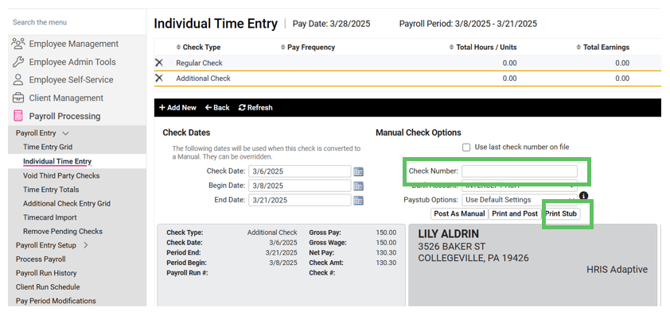
- Next go back into isolved and it will prompt you to POST the check into the payroll.
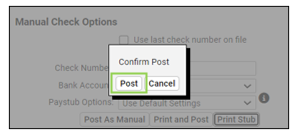
- Click POST.
This will now show at the top under Check Type as a MANUAL CHECK. The employee will only receive the funds via check from you if it looks like above (noted as MANUAL CHECK). The employee WILL NOT be paid again in the next payroll. The Manual Check will be noted on the PAYROLL SUMMARY and PAYROLL REGISTER on the NEXT payroll processed so that the taxes and YTD earnings are updated appropriately.
